When you open your AWS bill and discover that your cloud spending has suddenly doubled, the damage may have already been done. Unexpected charges often happen because of misconfigured resources, runaway scripts, unplanned scaling events, or forgotten instances that continue running unnoticed.
AWS Cost Anomaly Detection changes this approach by using machine learning to monitor your spending patterns and identify unusual cost spikes early. Instead of relying only on fixed budget thresholds, it learns what normal spending looks like and sends alerts when something appears abnormal.
This blog explains why cloud cost anomalies occur, how to set up AWS Cost Anomaly Detection, and the steps your teams should take to respond quickly and prevent unnecessary cloud expenses.
Key Takeaways
You recently got slammed with a $3,200 AWS bill in your billing dashboard because of a misconfigured Lambda.
No alerts. No thresholds. And nothing told you which service, workload, or account caused the spike, and your team was chasing the root cause after the damage had been done.
But if your budget is set to X and your cloud spend jumps by 50% month over month without triggering a single notification, then it means you haven't enabled AWS Cost Anomaly Detection.
In this blog, you'll learn exactly what AWS Cost Anomaly Detection is, how it works, and how to configure it in your AWS console so your engineering, finance, and operations teams catch cost spikes in minutes, not days.
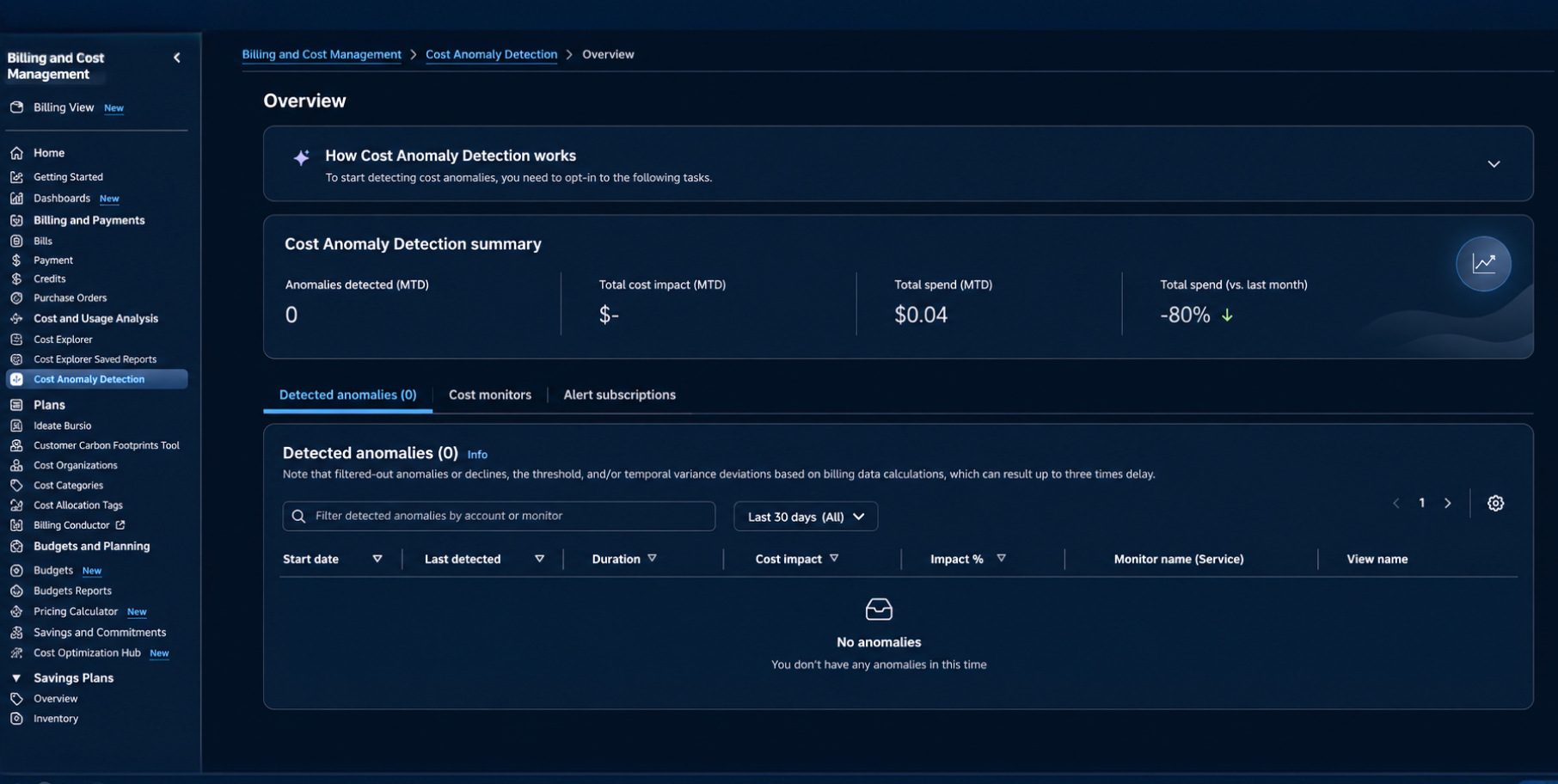
AWS cost anomaly detection is an ML-powered service available in your Cost Explorer dashboard. It does 3 things -
For example, if spend suddenly jumps for a specific service, region or account, it notifies your DevOps and finOps team right away through email, Slack and any other tool.
Traditional tools such as AWS budgets require you to know the baseline spend upfront and perform manual analysis through custom spreadsheets or business intelligence tools.
But AWS cost anomaly detection gets rid of all these things by surfacing anomalous spend automatically.
Explore More: AWS Cost Management
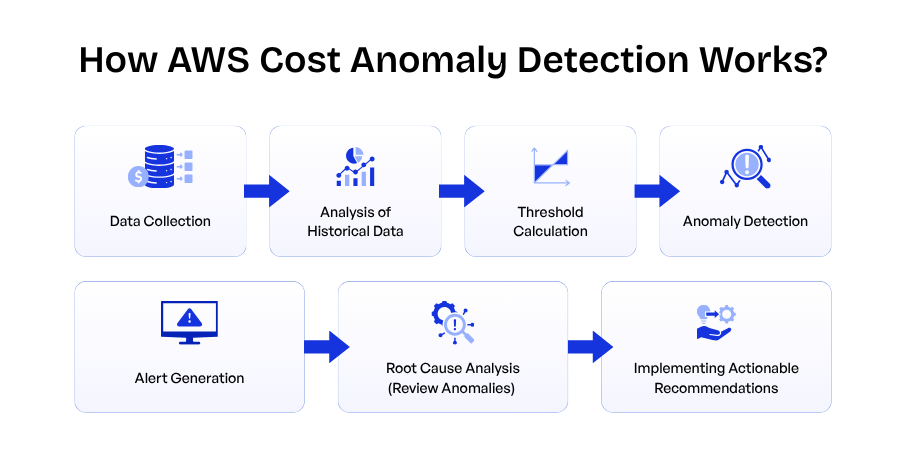
Here’s how the service identifies the unexpected cost increases that you would otherwise discover only when your monthly bill arrives.
Think of this as a system that continuously tracks your cloud spend and focuses on detecting abnormal spending spikes.
Before anomaly detection begins, the service requires at least 14 days of historical usage data to decide what’s considered normal for your environment.
It collects data related to your organization’s AWS spending such as -
Once the data is collected, the algorithm will run a quick analysis of your past AWS spending, including daily, weekly and recurring cost trends for your organization.
Based on that, it will create a spending baseline to identify whether future spending patterns will be normal or unusual and what your AWS costs will look like.
The service calculates thresholds based on past spending behaviour to distinguish between normal fluctuations and anomalies. You can configure custom threshold limits manually to refine the detection process.
Example: A $10 threshold means you’ll only receive an alert you when the impact of anomaly exceeds $10.
When the system notices that the spending goes above the threshold ( like your EC2 costs jump from $500/day to $1500/day), then it marks the event as an anomaly and sends you an alert giving you a detailed breakdown of costs along with usage data.
This helps you understand the root cause of the anomaly.
Once AWS detects the anomaly, it sends an alert to stakeholders through email, slack or an AWS chatbot when the expected usage exceeds the pre-set threshold similar to how a bank notifies customer about unusual transaction patterns.
Note: AWS generally checks for anomalies 3 times/day once billing is processed.
But because AWS takes data from Cost Explorer, you can expect a delay of up to 24 hrs, meaning it may take at least 24 hrs to detect an anomaly.
When an alert is received, AWS cost anomaly detection features and optimization tools can help you find the root cause across user types, accounts or services, like what led to a significant rise in cloud spending, such as changes in data transfer patterns, scaling activities or a user neglected to turn off an EC2 instance.
Finally, AWS provide recommendations to bring spending back within expected limits such as scaling down EC2 instances, adjusting configuration settings, or moving to Reserved Instances or Savings Plans.
Keeping cost under control is important, especially in the public cloud. One such tool is Cost Explorer and cost anomaly detection to keep an eye on unexpected costs.
It provides visibility into when costs are trending high or going above expected spend. Let’s discuss the advantages of using the AWS cost anomaly tool -
Many high-growth and innovative companies discover cloud bills only when the finance team review the bill at the end of the month.
With the cost monitoring and cost anomaly detection features, you can find surprise billing overruns. For example, a team accidentally modifies the scripts that generate a larger number of S3 requests and sees an unexpected $8,000 charge.
AWS anomaly detection feature allows users to set custom anomaly thresholds and get alerts on a daily/weekly basis.
It gives team the flexibility of how and when they want to be notified by giving them control over the level of cost impact that should trigger notifications.
For example, if the company spends $100 per month, it might want alerts for a $10 increase. At the same time, it can be different if the company might prefer alerts only when costs exceed a much higher threshold.
As AWS uses machine learning algorithms, it keeps improving its accuracy over time. When a user receives an anomaly alert, the notification says -
This feedback helps AWS improve their model understanding to better understand your spend and overall customer spend.
AWS cost anomaly detection requires little configuration at no additional cost, as the service is already available within Cost Explorer.
Users can enable this feature on the go and track the cost for all AWS services, member accounts, cost allocation tags, and cost categories with a simple 3-step setup.
Instead of just knowing that the overall AWS bill increased, the engineering team can monitor spending for each AWS service individually.
By enabling AWS service monitoring, you can quickly identify which specific AWS service is responsible for the increase, such as whether -
As and when a cost anomaly is detected in real time, finance, engineering and operations teams can take action immediately, such as shutting down unused resources, scaling back workloads or fixing configuration issues.
Despite many advantages that anomaly detection feature provides in AWS, there are a handful of limitations -
As AWS billing data is not updated in real time, as a result, cost anomalies may take several hours before unusual spending is detected and reported.
Sudden cost spikes may not be identified immediately.
While AWS can highlight the services contributing to a cost anomaly, it may not always identify the exact resource responsible.
Note: Additional analysis in Cost Explorer or other AWS tools is required to find the root cause.
Alert notifications are configured based on thresholds you configure. If thresholds are set too high, smaller but important costs may not trigger an alert.
When new workloads or AWS services are introduced, the model needs to learn and understand what normal spending looks like.
Note: Alert accuracy may be lower during the initial learning period.
AWS cost anomaly detection tells you the spending trends, not the resource utilization or performance. It tells you that cost has increased during the previous month, but it won’t tell you why a resource is being heavily used.
For example, if your AWS bill increases unexpectedly, it can tell you that cost went up but won’t tell you whether that increase happened because of CPU usage, memory usage, storage, or increased traffic.
For that, tools such as CloudWatch, Cost Explorer or Trusted Advisor are needed for detailed analysis.
The service uses machine learning models that learn from your past spending patterns.
If your workloads change rapidly, new AWS accounts may not receive highly accurate anomaly detection right away, and new workloads may trigger false alerts until sufficient usage history is available.
The service only detects unusual spending and sends alerts. It does not automatically stop EC2 instances, Lambda functions or other AWS resources generating costs. Teams should manually respond to stop this issue.
Before setting up AWS cost anomaly detection, make sure the following requirements are taken care of -
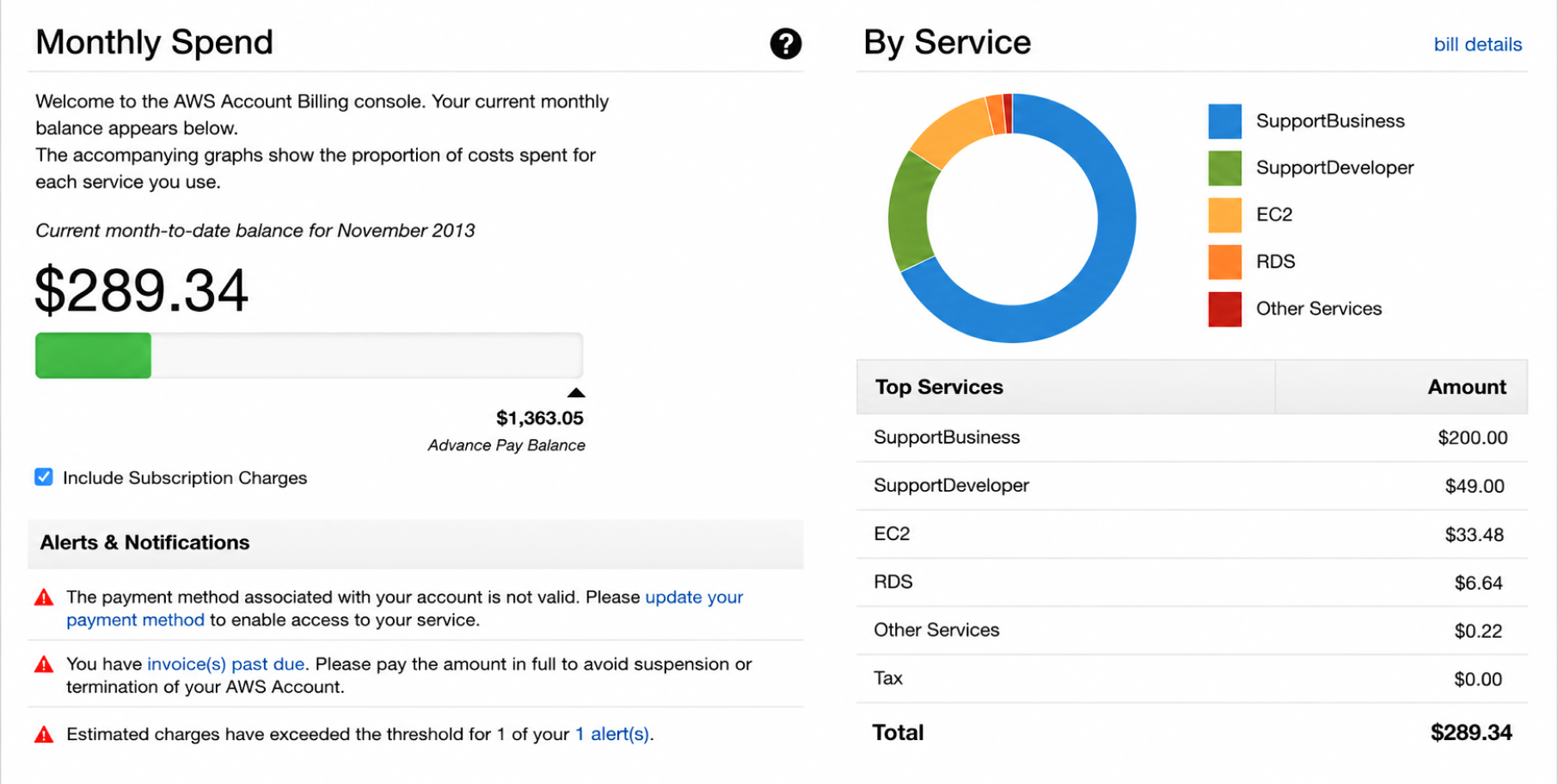
You need access to the AWS billing and cost management dashboard where cost anomaly detection will be available.
AWS billing console provides you with an overview of the bill, how your spending is distributed across AWS services and compares the current spending with the previous spending.
If your AWS bill is 30-50% higher than expected, you need to optimize your cloud cost spending in AWS through its cost anomaly detection feature, helping you stay on top of your budget and avoid sudden hikes in spending patterns.
Here’s how you can optimize your AWS spend by following 5 simple steps.
Step 1 – Open AWS Cost Anomaly Detection
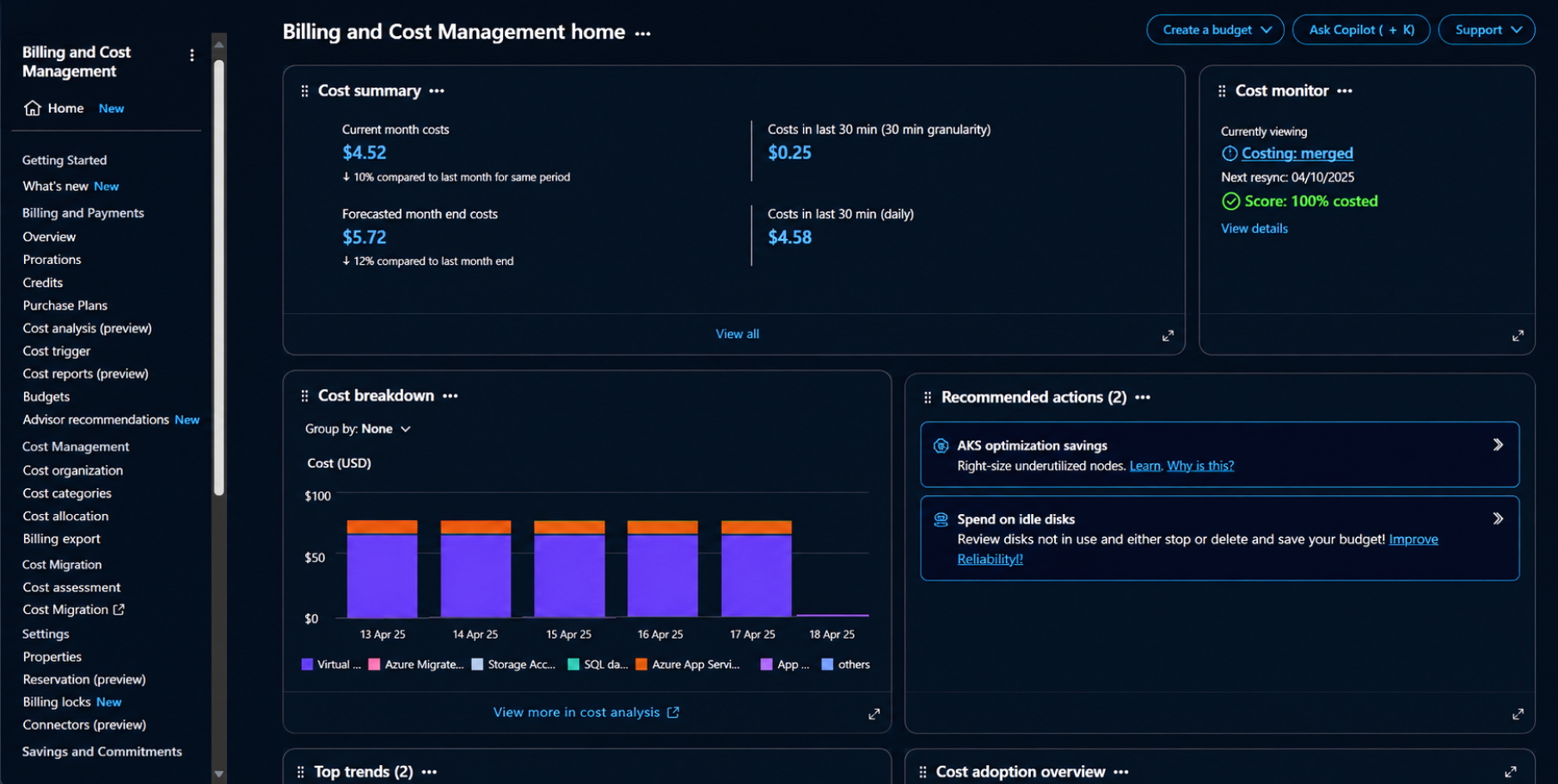
Log in to the AWS management console through https://console.aws.amazon.com/.
In the AWS management console, head over to the billing and cost management service and choose cost anomaly detection.
If this is your first time, click on Get Started.
Step 2 – Create a Cost Monitor
On the anomaly detection overview page, choose the cost monitor tab and click on create monitor.
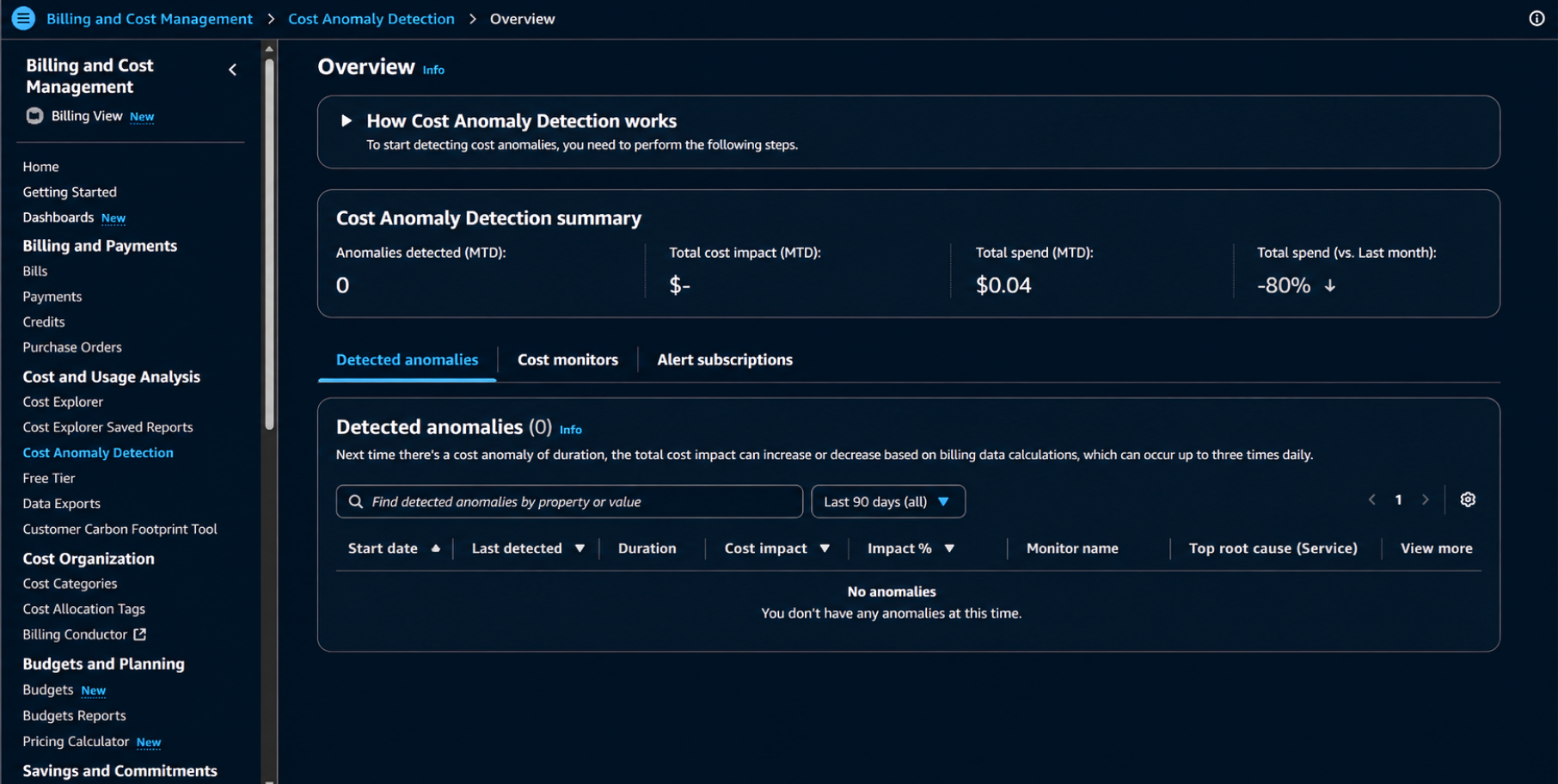
Choose the cost monitor for your AWS account as per your specific needs.
Once you choose the relevant cost monitor, give it a name for identification and then click on Next.
Step 3 – Configure Your Alert Subscription
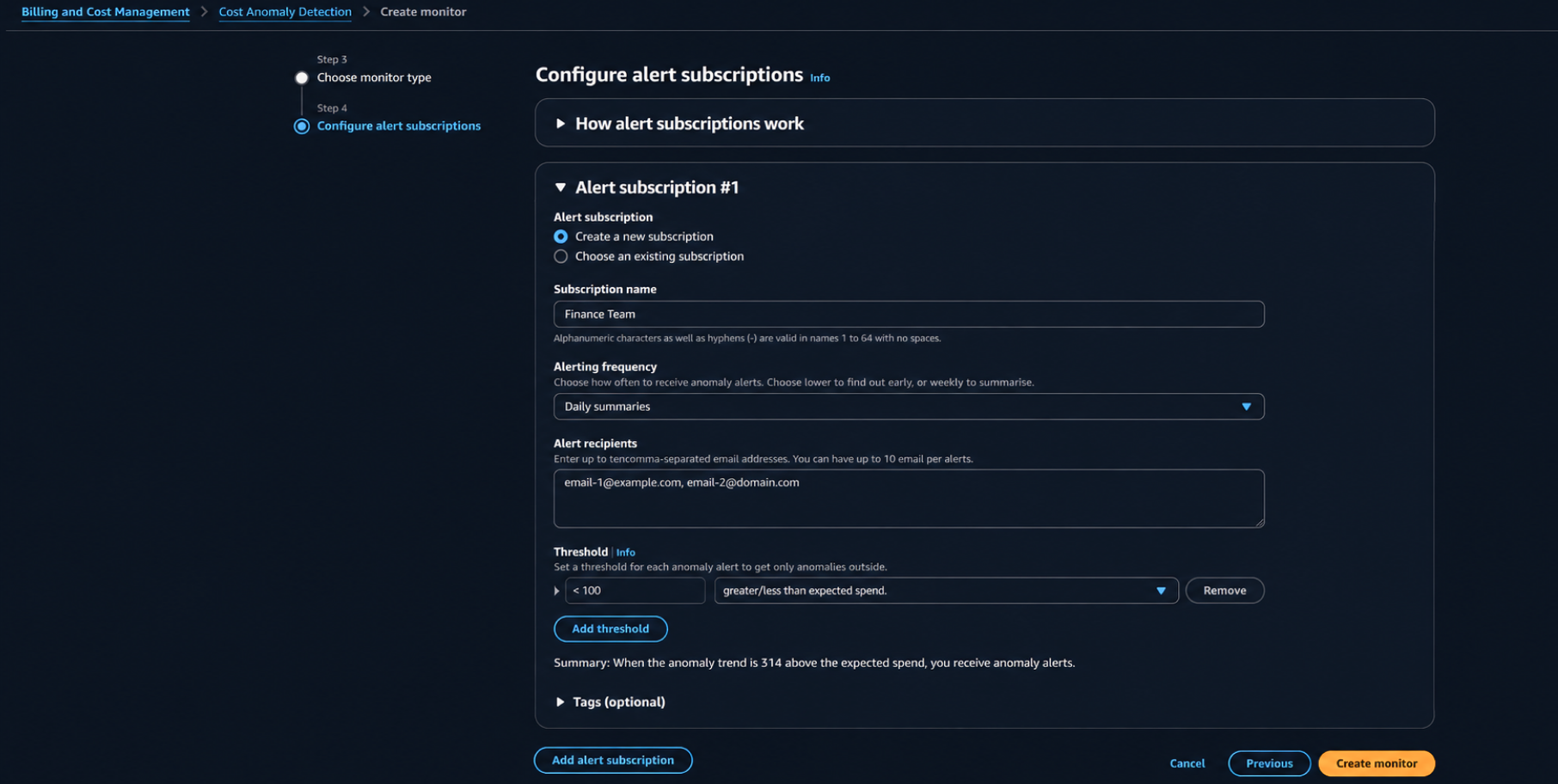
After creating a monitor, you need to configure an alert subscription.
Example: If you set a threshold of $50, AWS will notify you when the estimated impact of an anomaly exceeds $50.
Environment | Recommended Threshold |
1. Development | $20 |
2. Staging | $50 |
3. Production | $100 |
Review the configuration and click “Create Monitor” to activate.
Step 4 – Confirm Email Subscription
AWS will send the configuration email to all configured recipients. For that, open the email and confirm subscription.
Step 5 – Verify Configuration
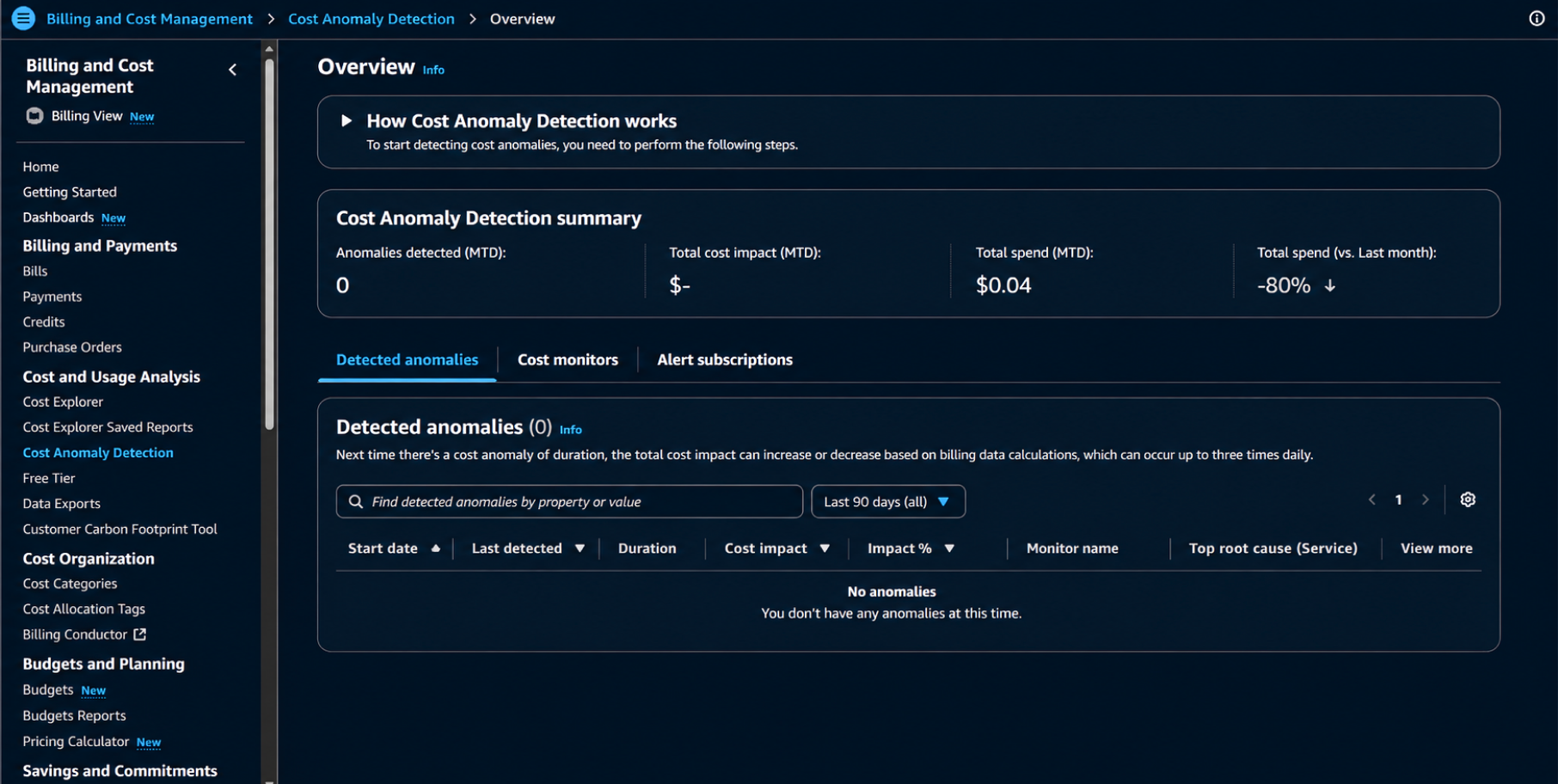
After completing the setup, navigate back to Billing and Cost Management, and click on Cost Anomaly Detection to ensure that everything is configured successfully.
AWS will now start monitoring your cloud spending and send alerts within 24 hrs.
Make sure to check -
Though AWS cost anomaly detection is completely free and takes 30 minutes to set up, it has one major limitation like it’s designed specifically for the AWS environment, not Azure or GCP.
If you need a centralized platform for managing and optimizing cloud costs no matter if you’re an AWS or an Azure user, that’s where Costimizer comes in.
At Costimizer, we provide everything in one dashboard to see which resources are consuming cloud resources and generating costs. Its cost anomaly detection dashboard helps you with -
Try Costimizer for a 14-day free trial to save your unused cloud resources and cut your cloud costs by 20-40%.
Yes, AWS cost anomaly detection is free, and you can access it within AWS Cost Explorer at no additional cost.
The tool will not directly reduce cloud costs, but it will help you identify unexpected spikes in AWS spending using machine learning algorithms. When it detects unusual spending patterns, it monitors your AWS costs and alerts you.
Yes, it’s suitable for enterprises managing multiple business units, teams, products, or environments. Organizations can create monitors based on AWS services, linked accounts, cost categories, and cost allocation tags.
By implementing AWS cost anomaly detection, you can track every anomaly, perform the root cause analysis and find the cost impact of each anomaly that can be done by configuring monitors and alert thresholds.
AWS budgets and AWS anomaly detection are 2 different things.
AWS budget allows you to set and track usage limits, monitor them and get automated alerts if your spend crosses a set threshold (let’s say 90% of the budget).
It's an alerting tool which allows you to set the budget thresholds manually.
AWS anomaly detection uses machine learning to analyze AWS spending and resource usage automatically.
In the AWS cost anomaly detection dashboard, delete the monitor, and AWS will stop evaluating the cloud usage and alerts.
Though the ML models check for anomalies 3 times in a day, since the service relies on Cost Explorer for processing data, you can expect a delay of up to 24 hrs.
This means it takes 24 hrs to detect the anomaly and send the alert after a spike occurs.
Real-time cost anomaly detection can be possible through telemetry-driven shared cost allocation.
AWS native tools provide visibility into AWS environments, but Costimizer provides a centralized platform for cost management, anomaly detection, resource allocation, and providing actionable recommendations whether you’re on AWS, Azure, GCP or Oracle Cloud. This means users don’t need to switch between multiple cloud consoles and can connect to AWS, Azure and GCP from one place.
Costimizer generates alerts within minutes of detecting unusual spending, helping teams react faster to cloud cost spikes.


•
DevOps Engineer•
Articles